
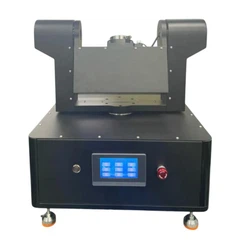
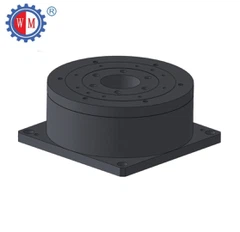


Operating a motorized rotary table for the first time can seem like a daunting task, but with the right guidance, it can be a straightforward and rewarding experience. As a supplier of high - quality motorized rotary tables, I'm here to walk you through the process step by step.
Familiarize Yourself with the Equipment
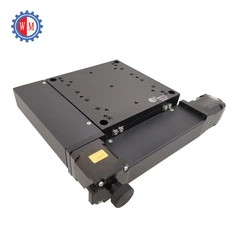
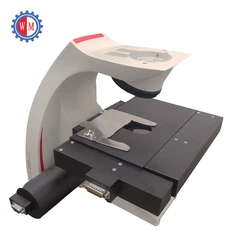
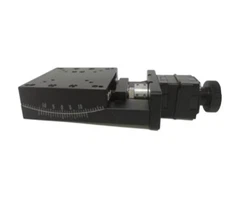
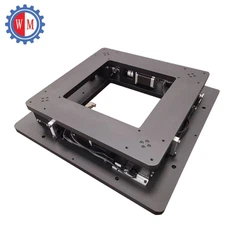
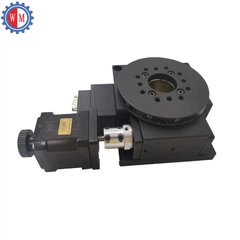
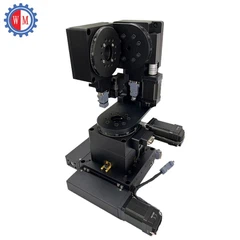
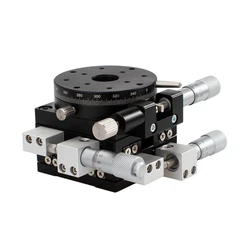
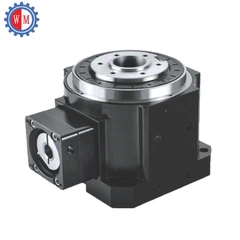
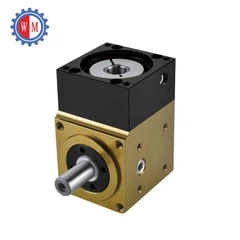
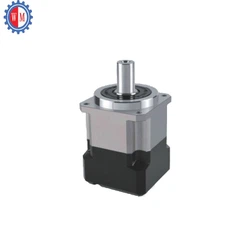
Before you even think about powering on the motorized rotary table, it's crucial to get to know its components. A typical motorized rotary table consists of a rotating platform, a motor (which can be a stepper motor or a servo motor), a control system, and various mounting points.
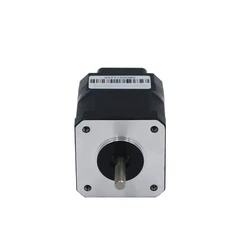
Take a close look at the rotating platform. Check for any signs of damage or debris. The surface should be clean and smooth to ensure accurate positioning. The motor is the heart of the system, providing the power to rotate the table. Different types of motors have different characteristics. For example, a Stepper Motor Rotary Stage offers precise control in discrete steps, making it suitable for applications where accuracy is key.
The control system is what allows you to set the rotation speed, angle, and direction. It can be a simple handheld controller or a more sophisticated computer - based system. Familiarize yourself with the buttons, dials, and display on the control unit.
Safety First
Safety should always be your top priority when operating any machinery. Make sure the motorized rotary table is placed on a stable and level surface. Uneven surfaces can cause the table to wobble during operation, which can lead to inaccurate results and even pose a safety hazard.
Check the power cord for any frayed wires or damage. Only use the power supply that is recommended by the manufacturer. If the table has a protective cover, make sure it is properly installed before starting the operation.
Wear appropriate personal protective equipment (PPE), such as safety glasses, especially if you are working in an environment where there is a risk of debris flying off the table.
Powering On and Initial Setup
Once you have ensured that everything is in order, it's time to power on the motorized rotary table. Plug in the power cord and switch on the power supply. The control unit should light up, indicating that it is receiving power.
On the control unit, you may need to perform some initial setup steps. This could include setting the units of measurement (degrees or radians), zeroing the angle, and calibrating the system. Refer to the user manual for detailed instructions on how to perform these tasks.
Zeroing the angle is an important step. It sets the starting point for all subsequent rotations. Most control units have a "zero" or "home" button that you can press to set the current position as the zero point.


Setting the Rotation Parameters
Now that the initial setup is complete, you can start setting the rotation parameters. The two main parameters you need to set are the rotation speed and the rotation angle.
The rotation speed is usually measured in revolutions per minute (RPM) or degrees per second. Use the control unit to adjust the speed to the desired value. Keep in mind that different applications may require different speeds. For example, if you are using the table for precision machining, a slower speed may be more appropriate to ensure accuracy.
The rotation angle determines how far the table will rotate. You can set the angle in degrees or radians, depending on your preference and the requirements of your application. Enter the desired angle into the control unit. You can also set the direction of rotation, either clockwise or counter - clockwise.
Testing the Rotation
Before you start using the motorized rotary table for your actual application, it's a good idea to perform a test rotation. Set a small angle, such as 30 degrees, and start the rotation. Observe the table as it rotates. Make sure it rotates smoothly and stops at the correct angle.
If you notice any unusual noises, vibrations, or erratic movements, stop the rotation immediately. Check for any loose parts, debris, or electrical issues. If you are unable to identify the problem, contact the manufacturer's technical support team for assistance.
Loading the Workpiece
Once you are satisfied with the test rotation, you can start loading the workpiece onto the table. Make sure the workpiece is securely mounted on the table. You can use clamps, bolts, or other mounting methods depending on the size and shape of the workpiece.
Distribute the weight of the workpiece evenly on the table to prevent imbalance. An imbalanced workpiece can cause the table to vibrate during rotation, which can affect the accuracy of the operation.
Performing the Operation
With the workpiece loaded, you can now start the actual operation. Set the desired rotation speed, angle, and direction according to the requirements of your application. Start the rotation and monitor the process closely.
If you are using the table for machining, you may need to adjust the cutting tools or the position of the workpiece during the rotation. Make these adjustments carefully to ensure that the operation proceeds smoothly.
Stopping the Operation
When the operation is complete, it's time to stop the motorized rotary table. Press the "stop" or "pause" button on the control unit. The table should come to a stop.
Unplug the power cord to prevent any accidental start - up. If there is any debris on the table, clean it off using a soft brush or compressed air.
Troubleshooting
Even with proper setup and operation, you may encounter some issues with the motorized rotary table. Here are some common problems and their possible solutions:
Table not rotating: Check the power supply to make sure it is working. Also, check the connection between the motor and the control unit. If the motor is overheated, let it cool down before trying again.
Inaccurate rotation angle: This could be due to calibration issues. Try re - zeroing the angle and recalibrating the system. Check for any mechanical wear or damage to the table's components.
Excessive noise or vibration: This may be caused by an imbalanced workpiece or a loose part. Check the mounting of the workpiece and tighten any loose bolts or screws.
Choosing the Right Motorized Rotary Table
As a supplier, we offer a wide range of motorized rotary tables to meet different customer needs. If you need a table for high - precision applications, our High Precision Rotary Stage is an excellent choice. It is designed to provide accurate and repeatable rotations.
For applications where space is limited, our Minature Rotary Positioning Stage is a great option. It offers high performance in a compact size.
Contact Us for Purchase and Consultation
If you are interested in purchasing a motorized rotary table or have any questions about operating our products, we are here to help. Our team of experts can provide you with detailed information about our products, including specifications, pricing, and installation. We can also offer guidance on choosing the right table for your specific application.
Don't hesitate to reach out to us for a consultation. We look forward to working with you to meet your motorized rotary table needs.
References
- Manufacturer's user manual for motorized rotary tables
- Industry standards and guidelines for operating machinery


