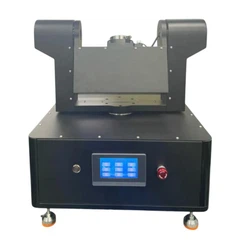
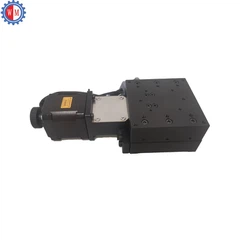
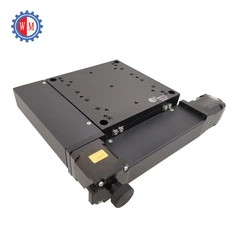
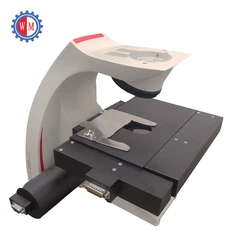
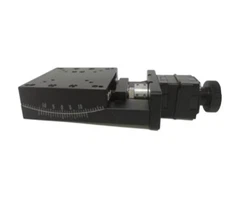
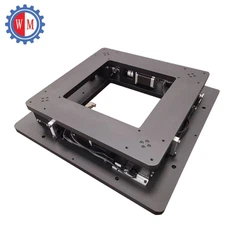
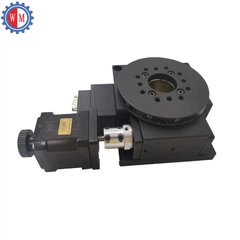
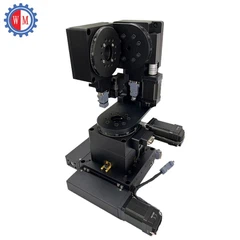
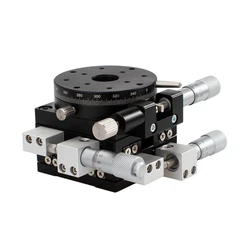


Troubleshooting problems in the Visual Alignment Stage can be a real headache, but don't worry! As a supplier of Visual Alignment Stages, I've dealt with all sorts of issues over the years. In this blog, I'll walk you through the steps to troubleshoot problems in the Visual Alignment Stage.
Step 1: Check the Power Supply
The first thing you need to do when you encounter problems with your Visual Alignment Stage is to check the power supply. A lot of the time, simple power - related issues can cause the stage to malfunction. Make sure the power cord is properly plugged into both the stage and the power outlet. You'd be surprised how many times a loose connection is the root of the problem.
Also, check if the power switch on the stage is turned on. Sometimes, it might get accidentally switched off during handling or other operations. If you're using a power adapter, ensure that it's providing the correct voltage and current. An incorrect power supply can damage the stage or cause it to operate erratically. You can use a multimeter to measure the output voltage of the power adapter if you're not sure.
Step 2: Inspect the Visual System
The visual system is a crucial part of the Visual Alignment Stage. If there are problems with the alignment, it could be due to issues with the cameras, lenses, or lighting.


First, check the cameras. Make sure they are properly connected to the stage and the control system. Loose cables can lead to intermittent or no signal at all. Clean the camera lenses if they are dirty. Dust or smudges on the lenses can distort the image, making it difficult to achieve accurate alignment.
Next, examine the lighting. Adequate and uniform lighting is essential for clear visual alignment. Check if the lights are working properly. If any of the light sources are burnt out, replace them. Also, make sure the lighting is evenly distributed across the alignment area. Uneven lighting can create shadows and make it hard to distinguish the alignment features.
Step 3: Look for Mechanical Issues
Mechanical problems can also cause issues in the Visual Alignment Stage. Check for any signs of physical damage to the stage, such as cracks, dents, or loose parts. A damaged stage may not move smoothly or may not hold its position accurately.
Inspect the guide rails and bearings. These components are responsible for the smooth movement of the stage. If they are dirty or worn out, the stage may experience friction or play, which can affect the alignment. Clean the guide rails and lubricate the bearings if necessary. However, be careful not to use too much lubricant as it can attract dust and debris.
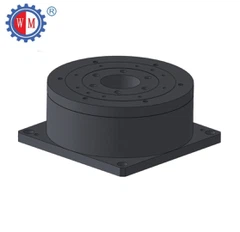
Check the motor and drive system. If the stage is a Motorized UVW Alignment Stage, make sure the motors are functioning properly. Listen for any unusual noises coming from the motors, which could indicate a problem. Also, check the motor controllers and ensure they are sending the correct signals to the motors.
Step 4: Review the Software and Settings
The software that controls the Visual Alignment Stage plays a vital role in its operation. If the alignment is off, it could be due to incorrect software settings.
First, make sure you are using the correct version of the software. Outdated software may have bugs or compatibility issues that can affect the performance of the stage. Check the manufacturer's website for software updates and install them if available.
Review the alignment parameters in the software. These parameters define how the stage aligns with the target. Make sure the values are set correctly for your specific application. For example, if you are aligning small components, you may need to set a higher resolution and more precise alignment tolerance.
If possible, try resetting the software to its default settings. Sometimes, incorrect settings can be accidentally changed, and resetting can restore the proper functionality. However, make sure to back up any custom settings before resetting.
Step 5: Test the Alignment with Known Samples
Once you've gone through the above steps, it's a good idea to test the alignment with known samples. Use samples with well - defined alignment features that you know should align correctly.
Place the sample on the stage and run the alignment process. Observe the results carefully. If the alignment is still not accurate, it may indicate that there are still underlying problems that need to be addressed.
Compare the alignment results with previous successful alignments. If there are significant differences, it can help you identify where the problem lies. For example, if the alignment is consistently off in a particular direction, it could be due to a mechanical issue or incorrect software settings related to that axis.
Step 6: Consult the Documentation and Support
If you've followed all the steps above and still can't solve the problem, it's time to consult the documentation. The user manual that came with your Visual Alignment Stage contains a wealth of information about troubleshooting and maintenance. Look for sections related to the specific problem you're experiencing.
If the documentation doesn't provide a solution, reach out to the manufacturer's support team. They have the expertise and experience to help you diagnose and solve the problem. Provide them with detailed information about the issue, including the steps you've already taken, the symptoms you're observing, and any error messages that may have appeared.
Step 7: Consider Alternative Alignment Stages
In some cases, the problem may be so severe that it's more practical to consider alternative alignment stages. For example, if your current stage is constantly breaking down and the cost of repairs is high, it might be worth looking into other options.
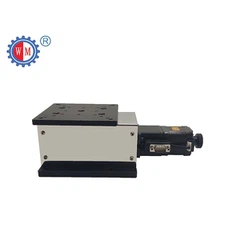
We also offer XYY Alignment Stage which may be more suitable for your application. These stages have different features and capabilities that could better meet your alignment needs.
If you're interested in learning more about our alignment stages or need help with troubleshooting, don't hesitate to contact us. We're here to assist you in finding the best solution for your alignment requirements. Whether you're looking to purchase a new stage or need support for an existing one, we can provide you with the guidance and products you need. Reach out to us to start a discussion about your needs and let's work together to achieve accurate and reliable alignment.
References
- Manufacturer's user manual for the Visual Alignment Stage
- Industry best practices for alignment stage troubleshooting


