
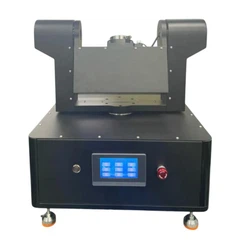
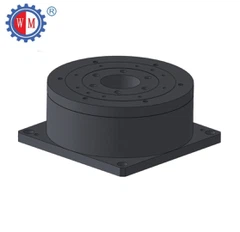
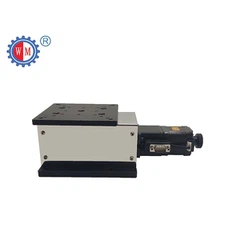
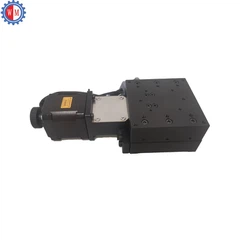
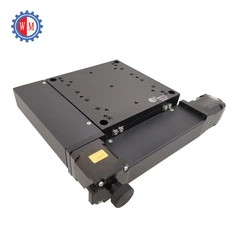
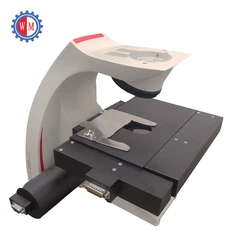
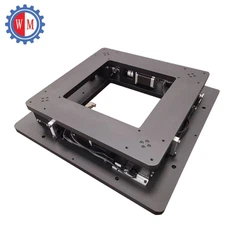
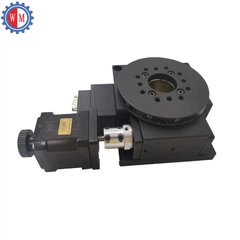
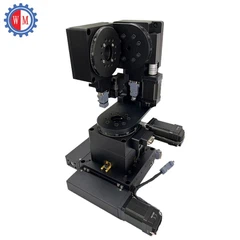
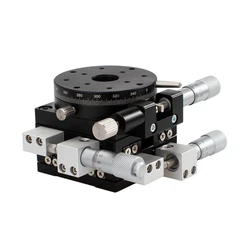
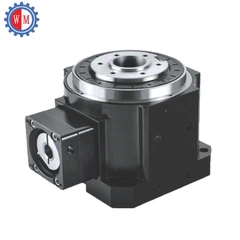


Hey there! As a supplier of Motorized Rotary Table, I've had my fair share of experiences with programming complex rotation patterns on these tables. It can seem like a daunting task at first, but with the right approach and a bit of know-how, you'll be creating intricate rotation patterns in no time.
Understanding the Basics
Before we dive into programming complex patterns, it's crucial to understand the basic components and functions of a motorized rotary table. These tables are typically driven by a motor, which can be controlled to rotate the table at different speeds and angles. The control system usually consists of a controller, which receives commands and translates them into actions for the motor.
The first step is to familiarize yourself with the controller. Most modern motorized rotary tables come with user-friendly controllers that allow you to input commands using a keypad or a computer interface. Take some time to read the manual and understand the different functions and settings available.


Setting Up the Table
Once you're comfortable with the controller, it's time to set up the motorized rotary table. Make sure the table is properly installed and leveled. Any unevenness can affect the accuracy of the rotation patterns. Check the power supply and ensure that it's stable and within the specified voltage range.
Next, you'll need to calibrate the table. This involves setting the zero position and the angular resolution. The zero position is the starting point for all rotations, and the angular resolution determines the smallest angle that the table can rotate. Calibration is essential for accurate and repeatable rotation patterns.
Programming Simple Patterns
Before tackling complex patterns, it's a good idea to start with simple ones. A basic pattern could be a continuous rotation at a constant speed. To program this, you'll need to set the rotation speed and the direction (clockwise or counterclockwise). Most controllers allow you to specify the speed in degrees per second or revolutions per minute.
For example, if you want the table to rotate at a speed of 30 degrees per second in the clockwise direction, you would enter the appropriate commands into the controller. Once you've set the parameters, you can start the rotation and observe how the table behaves.
Another simple pattern is a step-by-step rotation. This involves rotating the table by a fixed angle at regular intervals. To program a step-by-step rotation, you'll need to specify the angle of each step and the time interval between steps. For instance, you could set the table to rotate by 10 degrees every second.
Creating Complex Rotation Patterns
Now that you've mastered the basics, it's time to move on to complex rotation patterns. These patterns can involve multiple rotations, changes in speed, and pauses at specific angles. One way to create complex patterns is by using a sequence of simple patterns.
For example, you could start with a continuous rotation at a slow speed, then increase the speed for a certain period, and finally slow down again before coming to a stop. You can also combine step-by-step rotations with continuous rotations to create more intricate patterns.
To program these complex patterns, you'll need to use the controller's programming features. Most controllers allow you to create a sequence of commands and save them as a program. You can then run the program whenever you need to execute the pattern.
Using Software for Programming
In addition to the controller's built-in programming features, you can also use software to create complex rotation patterns. There are several software packages available that offer more advanced programming capabilities, such as graphical programming interfaces and simulation tools.
These software packages allow you to design patterns visually, which can be much easier than programming them manually. You can also simulate the patterns before running them on the actual table, which helps you identify and fix any errors or issues.
Troubleshooting
Even with the best programming skills, you may encounter some issues when programming complex rotation patterns. One common problem is inaccurate rotation angles. This can be caused by a variety of factors, such as mechanical wear, electrical interference, or incorrect calibration.
If you notice that the rotation angles are off, you'll need to check the calibration of the table and make any necessary adjustments. You may also need to inspect the mechanical components for any signs of wear or damage.
Another issue you may encounter is inconsistent rotation speed. This can be caused by a problem with the motor or the controller. Check the motor's power supply and make sure it's stable. You may also need to update the controller's firmware to fix any software bugs.
Conclusion
Programming complex rotation patterns on a motorized rotary table can be a challenging but rewarding task. By understanding the basic components and functions of the table, setting it up properly, and using the controller's programming features or software, you can create intricate and accurate rotation patterns.
If you're interested in purchasing a Motorized Rotary Table, Minature Rotary Positioning Stage, or Optic Motorized Rotating Stage, feel free to reach out to us. We're here to help you find the right product for your needs and provide you with the support and guidance you need to program complex rotation patterns.
References
- Manufacturer's manual for the motorized rotary table
- Online resources on motor control and programming


