
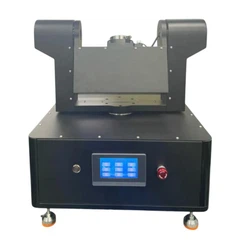
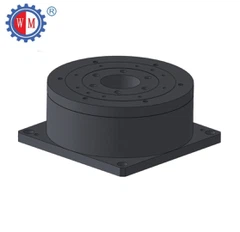
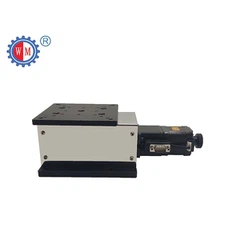
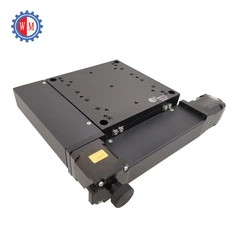
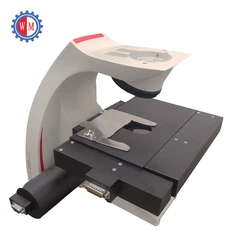
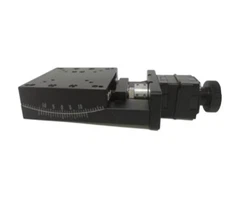
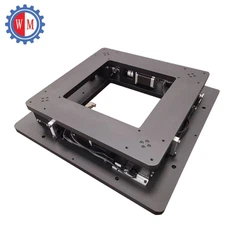
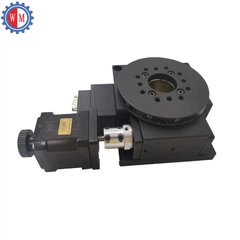
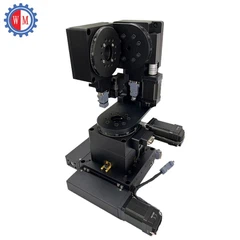
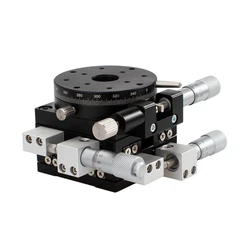
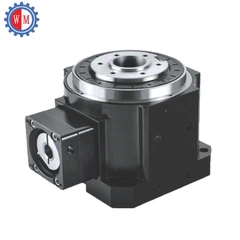


Troubleshooting a hollow rotary table is a crucial skill for anyone working with precision machinery. As a supplier of high - quality hollow rotary tables, I understand that unexpected issues can arise, and having the knowledge to resolve them quickly can save both time and money. In this blog post, I'll guide you through the process of troubleshooting common problems with hollow rotary tables, ensuring your operations run smoothly.
Understanding the Basics of Hollow Rotary Tables
Before diving into troubleshooting, it's essential to have a solid understanding of what a hollow rotary table is and how it works. A hollow rotary table is a precision device used in various industrial applications, such as automation, CNC machining, and robotics. It allows for precise rotation of a workpiece or tool around a central axis, with a hollow center that can accommodate cables, pipes, or other components.
Our company offers a range of hollow rotary tables, including Closed Loop Control Hollow Rotary Actuator, High Speed Hollow Rotary Table, and 4th and 5th Axis Rotary Table. Each model is designed to meet specific requirements, and understanding the features of your particular table is the first step in troubleshooting.
Common Problems and Solutions
No Movement or Slow Movement
One of the most common issues users encounter is when the hollow rotary table either fails to move or moves at a much slower pace than expected.
- Check the Power Supply: Ensure that the power supply to the table is functioning correctly. A loose connection, blown fuse, or power outage can cause this problem. Inspect all power cables and connectors, and replace any damaged components.
- Motor Issues: The motor is the driving force behind the rotation of the table. A faulty motor can result in no movement or slow movement. Check the motor for signs of overheating, unusual noises, or electrical problems. You may need to test the motor's resistance or voltage to determine if it is working properly.
- Belt or Gear Problems: If the table is driven by a belt or gears, inspect them for wear and tear. A loose or damaged belt, or worn - out gears, can cause a loss of power transfer, resulting in slow or no movement. Replace any damaged belts or gears as necessary.
Inconsistent Rotation
Inconsistent rotation is another common problem, where the table may rotate unevenly or stop intermittently.
- Encoder Malfunction: The encoder is responsible for providing feedback on the position and speed of the table. A malfunctioning encoder can cause inaccurate rotation. Check the encoder for loose connections, damaged cables, or dirt and debris. Clean the encoder if necessary, and replace it if it is found to be defective.
- Mechanical Alignment: Misalignment of the mechanical components can also lead to inconsistent rotation. Check the alignment of the table, motor, and other related parts. Use precision measuring tools to ensure that all components are properly aligned. Adjust the alignment as needed to correct the problem.
- Load Imbalance: An unevenly distributed load on the table can cause inconsistent rotation. Make sure that the workpiece or tool is properly centered on the table. If the load is too heavy or unbalanced, it can put additional stress on the table's components, leading to performance issues.
Excessive Noise
Excessive noise during operation can be a sign of a serious problem with the hollow rotary table.
- Lubrication Issues: Insufficient lubrication can cause friction between moving parts, resulting in noise. Check the lubrication levels of the table's bearings, gears, and other moving components. If the lubricant is low, add the appropriate type and amount of lubricant as recommended by the manufacturer.
- Worn - Out Bearings: Bearings are critical components in a hollow rotary table. Worn - out bearings can produce a loud noise during operation. Inspect the bearings for signs of damage, such as pitting, scoring, or excessive play. Replace any worn - out bearings to reduce noise and prevent further damage to the table.
- Loose Components: Loose bolts, nuts, or other components can also cause noise. Check all connections on the table and tighten any loose parts. Make sure that the table is properly secured to its mounting surface.
Poor Positioning Accuracy
Precise positioning is one of the key features of a hollow rotary table. If you notice poor positioning accuracy, the following steps can help you identify and resolve the issue.


- Backlash Adjustment: Backlash is the amount of clearance between the gears or other moving parts. Excessive backlash can lead to poor positioning accuracy. Check the backlash of the table and adjust it according to the manufacturer's specifications. This may involve adjusting the gear meshing or using shims to reduce the clearance.
- Calibration: Over time, the table may lose its calibration, resulting in inaccurate positioning. Use a precision measuring device to check the positioning accuracy of the table. If necessary, recalibrate the table using the manufacturer's recommended calibration procedure.
- Environmental Factors: Environmental conditions, such as temperature, humidity, and vibration, can affect the positioning accuracy of the table. Ensure that the operating environment is stable and within the recommended range. Use vibration isolation pads or other measures to reduce the impact of external vibrations.
Preventive Maintenance
Preventive maintenance is the best way to avoid problems with your hollow rotary table. Here are some tips to keep your table in good working condition:
- Regular Inspections: Conduct regular visual inspections of the table to check for signs of wear, damage, or loose components. Inspect the power supply, motor, belts, gears, bearings, and other critical parts.
- Lubrication: Follow the manufacturer's lubrication schedule and use the recommended lubricants. Proper lubrication reduces friction, wear, and noise, and extends the life of the table's components.
- Cleaning: Keep the table clean and free of dirt, debris, and coolant. Use a soft brush or compressed air to remove any loose particles from the table and its components.
- Training: Ensure that operators are properly trained on the use and maintenance of the hollow rotary table. Provide them with the necessary training materials and resources to help them troubleshoot common problems.
Conclusion
Troubleshooting a hollow rotary table requires a systematic approach and a good understanding of its components and operation. By following the steps outlined in this blog post, you can identify and resolve common problems with your table, ensuring its reliable performance and longevity.
If you are experiencing any persistent issues with your hollow rotary table or are looking to purchase a new one, we are here to help. Our team of experts can provide you with professional advice and support on choosing the right table for your application and troubleshooting any problems you may encounter. Contact us to start a采购洽谈 (Note: As per the requirement not to use non - English words, this is a reminder for translation. In the actual text, it should be something like 'Contact us to start a purchase negotiation').
References
- Manufacturer's manuals for hollow rotary tables
- Industry standards and guidelines for precision machinery maintenance


