
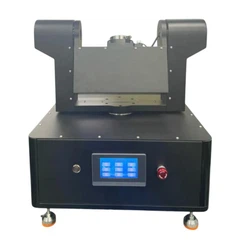
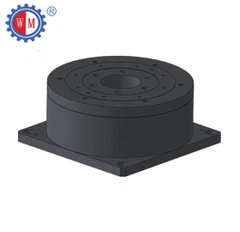
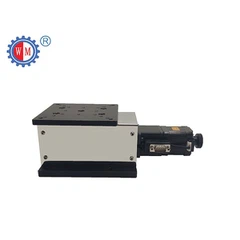
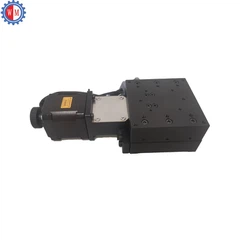


Aligning a motorized vertical stage with other components is a crucial task in many scientific, industrial, and research applications. As a supplier of motorized vertical stages, I've seen firsthand how proper alignment can make or break a project. In this blog, I'll share some practical tips and techniques on how to achieve this alignment effectively.
Understanding the Basics of Motorized Vertical Stages
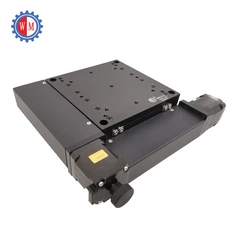
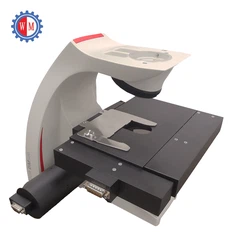
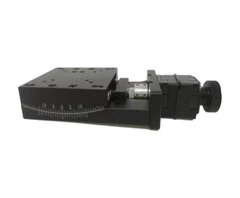
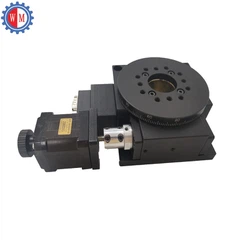
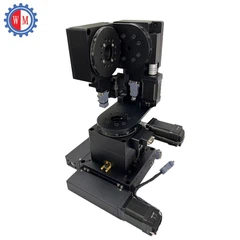
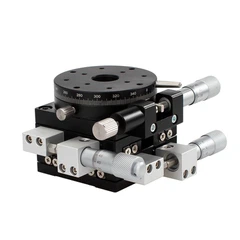
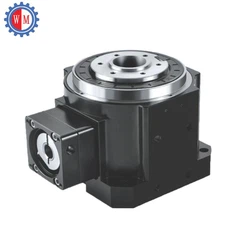
Before we dive into the alignment process, let's quickly go over what a motorized vertical stage is. A motorized vertical stage is a device that allows for precise vertical movement. It's commonly used in microscopy, semiconductor manufacturing, and other applications where accurate positioning is required.
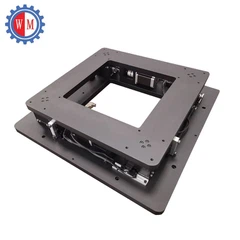
We offer a range of motorized vertical stages, including the Precision Motorized Vertical Lift Stage, Motor Z Translation Stage, and Heavy Load Lab Scissor Jack. Each of these stages has its own unique features and capabilities, but they all share the common goal of providing reliable and precise vertical movement.
Preparing for Alignment
The first step in aligning a motorized vertical stage with other components is to prepare the workspace. Make sure the area is clean and free of any debris that could interfere with the alignment process. You'll also want to gather all the necessary tools, such as a level, calipers, and a laser alignment system if available.
Next, carefully unpack the motorized vertical stage and inspect it for any damage. Check the mounting holes, the motor, and the control system to ensure everything is in working order. If you notice any issues, contact our customer support team right away.


Mounting the Motorized Vertical Stage
Once you've prepared the workspace and inspected the stage, it's time to mount it. Choose a stable surface that can support the weight of the stage and any additional components that will be attached to it. Use the appropriate mounting hardware to secure the stage firmly in place.
Make sure the stage is level using a spirit level. This is crucial for accurate alignment. If the stage is not level, it can cause uneven movement and affect the performance of the entire system.
Aligning with Other Components
Now that the motorized vertical stage is mounted, it's time to align it with other components. This process can vary depending on the specific application and the components you're working with, but here are some general steps to follow:
Step 1: Define the Alignment Goals
Before you start aligning, clearly define what you're trying to achieve. Are you aligning the stage with a microscope objective, a camera, or another piece of equipment? Knowing your goals will help you determine the best alignment method.
Step 2: Use a Laser Alignment System (if available)
A laser alignment system can be a valuable tool for aligning the motorized vertical stage with other components. It allows you to project a laser beam onto the target component and adjust the stage until the beam is centered. This method provides a high level of accuracy and can save you a lot of time.
Step 3: Make Small Adjustments
When making adjustments to the stage, it's important to make small, incremental changes. This will allow you to fine-tune the alignment and avoid overshooting the target. Use the control system of the motorized vertical stage to make these adjustments.
Step 4: Check the Alignment Regularly
As you make adjustments, regularly check the alignment using the appropriate measurement tools. This will help you ensure that the alignment is accurate and that the stage is moving smoothly.
Troubleshooting Alignment Issues
Even with careful preparation and execution, alignment issues can still occur. Here are some common problems and their solutions:
Problem: Uneven Movement
If the motorized vertical stage is moving unevenly, it could be due to a misaligned motor or a problem with the drive system. Check the motor and the drive system for any signs of damage or wear. If necessary, contact our technical support team for assistance.
Problem: Inaccurate Alignment
If the alignment is inaccurate, it could be due to a number of factors, such as a dirty or damaged stage surface, incorrect mounting, or a problem with the measurement tools. Check the stage surface for any debris and clean it if necessary. Make sure the stage is mounted correctly and that the measurement tools are calibrated properly.
Problem: Excessive Vibration
Excessive vibration can affect the accuracy of the alignment and the performance of the entire system. Check the mounting surface for any loose connections or vibrations. If necessary, use vibration isolation pads to reduce the vibration.
Conclusion
Aligning a motorized vertical stage with other components is a critical process that requires careful planning and execution. By following the steps outlined in this blog, you can ensure that your motorized vertical stage is aligned accurately and that it performs reliably in your application.
If you have any questions or need further assistance with aligning your motorized vertical stage, please don't hesitate to contact us. We're here to help you get the most out of your investment in our products. Whether you're a seasoned professional or just starting out, our team of experts is ready to provide you with the support and guidance you need.
If you're interested in purchasing a motorized vertical stage or have any questions about our products, feel free to reach out to us. We're always happy to discuss your specific needs and help you find the right solution for your project.
References
- Optomechanical Systems Design Handbook, various editions
- Technical manuals of motorized vertical stages provided by the manufacturer


