
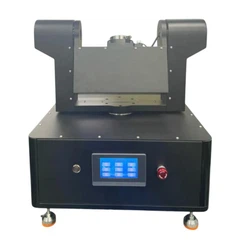
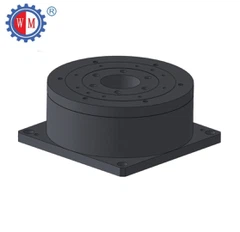
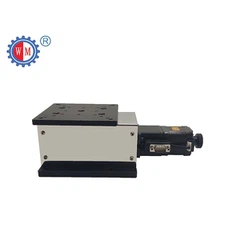
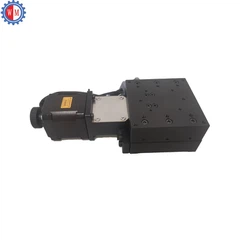


Visualizing the results of the Visual Alignment Stage is crucial for ensuring precision and efficiency in various applications. As a supplier of Visual Alignment Stage, I've seen firsthand how effective visualization can make or break a project. In this blog, I'll share some of the best ways to visualize these results.
1. Real - Time Video Feed
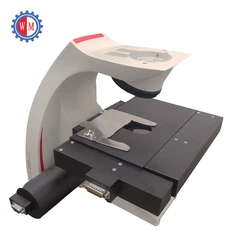
One of the simplest and most effective ways to visualize the results of the Visual Alignment Stage is through a real - time video feed. By connecting a high - resolution camera to the alignment stage, you can get a live view of the alignment process. This allows operators to monitor the alignment in real - time, making immediate adjustments if necessary.
For example, in microelectronics manufacturing, where components need to be aligned with extreme precision, a real - time video feed can show if a chip is slightly off - center or misaligned. The operator can then use the controls of the Motorized UVW Align Stage to correct the position on the fly. This not only saves time but also reduces the risk of errors and rework.
2. Overlay Graphics
Overlay graphics are another great tool for visualizing alignment results. You can use software to create graphical overlays that show the ideal alignment position. These overlays can be superimposed on the real - time video feed, making it easy to see how close the actual alignment is to the desired one.
Let's say you're working on a printed circuit board (PCB) assembly. The overlay can show the exact location where components should be placed. As the alignment stage moves the components into position, you can clearly see any deviations from the ideal alignment. This visual cue helps operators make more accurate adjustments and ensures that the final product meets the required specifications.
3. Color - Coding
Color - coding is a powerful way to quickly convey information about alignment results. You can assign different colors to different alignment states. For instance, green can indicate that the alignment is within the acceptable tolerance, yellow can mean that it's close but needs a minor adjustment, and red can signal that the alignment is way off and requires significant correction.
In a large - scale manufacturing setting, color - coding can be used on dashboards or monitors to give supervisors and operators a quick overview of the alignment status across multiple stations. This makes it easier to prioritize which stations need attention and helps streamline the production process.
4. 3D Visualization
In some cases, 2D visualizations may not be enough. That's where 3D visualization comes in. With 3D visualization software, you can create a virtual representation of the alignment stage and the objects being aligned. This allows you to view the alignment from different angles and get a more comprehensive understanding of the situation.
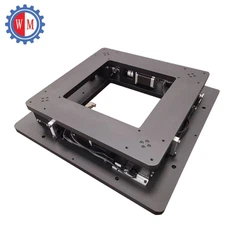
For example, in the aerospace industry, where complex components need to be aligned in three - dimensional space, 3D visualization can be invaluable. You can see how different parts fit together and identify any potential interference or misalignment issues that might not be apparent in 2D. The XYY Alignment Stage can be used in conjunction with 3D visualization to ensure precise alignment in all three dimensions.
5. Data Visualization
Collecting data during the alignment process is important, but it's equally important to present that data in a meaningful way. Data visualization tools can be used to create charts, graphs, and histograms that show alignment metrics such as position accuracy, repeatability, and alignment time.
For example, a line graph can show how the alignment accuracy changes over time as the stage is used repeatedly. This can help you identify trends and predict when maintenance or calibration might be needed. Bar charts can be used to compare the alignment performance of different operators or production runs.
6. Augmented Reality (AR)
Augmented reality is an emerging technology that has the potential to revolutionize the way we visualize alignment results. With AR headsets or devices, operators can see the real - world alignment stage overlaid with digital information. This can include alignment guides, measurement values, and even step - by - step instructions.
Imagine an operator wearing an AR headset while working on an alignment task. They can see exactly where to place a component, and the headset can provide real - time feedback on the alignment status. This hands - free approach can increase productivity and reduce the learning curve for new operators.
Why Choose Our Visual Alignment Stages?
At our company, we understand the importance of effective visualization in the alignment process. That's why our Visual Alignment Stage products are designed to work seamlessly with a variety of visualization tools. Whether you need a real - time video feed, overlay graphics, or 3D visualization, our stages can be integrated with the software and hardware you need to get the job done.
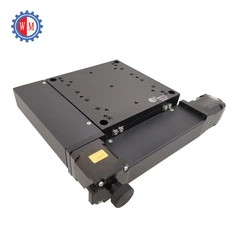
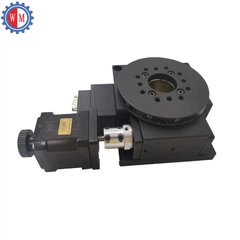
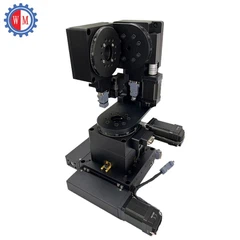
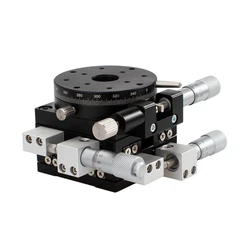
Our Motorized UVW Align Stage offers precise control and high - speed operation, making it ideal for applications where quick and accurate alignment is required. And our XYY Alignment Stage provides flexibility in multiple axes, allowing for complex alignment tasks.


Contact Us for Your Visual Alignment Needs
If you're looking for high - quality Visual Alignment Stages and want to learn more about how to effectively visualize the alignment results, we're here to help. Our team of experts can provide you with customized solutions based on your specific requirements. Whether you're in the electronics, automotive, or aerospace industry, we have the products and knowledge to ensure your alignment projects are a success.
Don't hesitate to reach out to us to start a discussion about your alignment needs. We're ready to assist you in finding the best visualization methods and alignment stages for your business.
References
- Smith, J. (2020). Precision Alignment in Manufacturing. Manufacturing Today Journal.
- Johnson, A. (2019). Visualization Techniques for Alignment Processes. Industrial Engineering Review.
- Brown, K. (2021). The Future of Alignment: Augmented Reality and 3D Visualization. Technology Trends Magazine.


