

How to Troubleshoot an Integrated Motor Drive?
As a trusted supplier of integrated motor drives, I understand the critical role these devices play in various industrial and commercial applications. Just like any complex technology, integrated motor drives can sometimes encounter issues that require troubleshooting. In this blog, I'll share some effective strategies to help you diagnose and resolve common problems with integrated motor drives.
Understanding the Basics of an Integrated Motor Drive
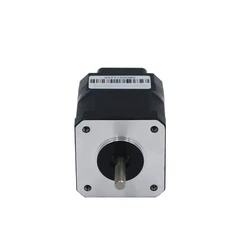
Before diving into troubleshooting, it's essential to have a clear understanding of what an integrated motor drive is and how it functions. An integrated motor drive combines a motor and a drive into a single unit, offering several advantages such as reduced wiring, space savings, and improved efficiency. These drives are commonly used in applications where precise control of motor speed and torque is required, such as conveyor systems, robotics, and packaging machinery.
The main components of an integrated motor drive include a power supply, an inverter, a control board, and a motor. The power supply provides the electrical energy needed to operate the drive, while the inverter converts the DC power from the power supply into AC power at the appropriate frequency and voltage to control the motor. The control board manages the operation of the drive, receiving input signals from sensors and other devices and sending output signals to the inverter to adjust the motor's speed and torque.
Common Problems and Troubleshooting Steps
1. No Power or Motor Not Running
- Check the Power Supply: The first step in troubleshooting a non - functioning integrated motor drive is to check the power supply. Ensure that the power cord is properly connected and that the circuit breaker or fuse has not tripped. Measure the voltage at the input terminals of the drive using a multimeter to verify that the correct voltage is being supplied.
- Inspect the Control Signals: If the power supply is okay, the next step is to check the control signals. Make sure that the drive is receiving the appropriate start/stop and speed control signals. These signals can come from a programmable logic controller (PLC), a human - machine interface (HMI), or other control devices. Check for loose connections or damaged wiring in the control circuit.
- Examine the Motor: If the power supply and control signals are correct, but the motor still doesn't run, there may be a problem with the motor itself. Check for signs of overheating, such as a burnt smell or discolored insulation. Use a megohmmeter to measure the insulation resistance of the motor windings. A low insulation resistance may indicate a short circuit or a grounding problem in the motor.
2. Overheating
- Check the Cooling System: Overheating is a common problem in integrated motor drives. The first thing to check is the cooling system. Make sure that the cooling fan is working properly and that there is no blockage in the ventilation channels. If the drive is installed in an enclosure, ensure that the enclosure has adequate ventilation.
- Verify the Load: An excessive load on the motor can also cause overheating. Check the application requirements and make sure that the motor is properly sized for the load. If the load is too high, it may be necessary to upgrade to a larger motor or adjust the operating parameters of the drive.
- Inspect the Inverter: The inverter is a key component in the power conversion process and can generate a significant amount of heat. Check the inverter for any signs of damage, such as cracked components or loose connections. High - frequency switching in the inverter can also cause electromagnetic interference (EMI), which can lead to overheating. Use appropriate EMI filters to reduce this problem.
3. Erratic Motor Operation
- Check for Faulty Sensors: Sensors play a crucial role in providing feedback to the control board about the motor's speed, position, and other parameters. If the sensors are faulty, the drive may not be able to control the motor properly. Check the sensors for damaged wiring, loose connections, or malfunctioning components. Replace any faulty sensors as needed.
- Verify the Communication Interface: Integrated motor drives often use communication interfaces such as Modbus RS485 to communicate with other devices in the system. If the communication is unstable or interrupted, it can cause erratic motor operation. Check the communication settings, such as the baud rate, parity, and stop bits, and make sure they are configured correctly. You can test the communication using a Programmable Modbus RS485 Motor Drive test device or a diagnostic tool.
- Examine the Control Board: The control board is responsible for processing the input signals and sending the appropriate commands to the inverter. If there is a problem with the control board, it can lead to erratic motor operation. Check for any signs of damage, such as burnt components or liquid spills. If necessary, reset the control board or update its firmware.
4. Noise or Vibration
- Check the Motor Mounting: Loose or improper motor mounting can cause noise and vibration. Make sure that the motor is securely mounted to the base or frame. Check the mounting bolts and tighten them if necessary. Use vibration - isolation pads to reduce the transmission of vibration from the motor to the surrounding structure.
- Inspect the Motor Shaft: A bent or misaligned motor shaft can also cause noise and vibration. Check the motor shaft for any visible signs of damage or misalignment. Use a dial indicator to measure the shaft's runout and alignment. If the shaft is misaligned, it may be necessary to realign it using appropriate tools.
- Verify the Load Balance: An unbalanced load on the motor can cause uneven forces and lead to noise and vibration. Check the load for any signs of imbalance, such as uneven weight distribution. If the load is unbalanced, it may be necessary to adjust the load or add counterweights to balance it.
Advanced Troubleshooting Tools and Techniques
- Oscilloscopes: Oscilloscopes are useful for analyzing electrical waveforms in the integrated motor drive. They can help you identify problems such as voltage spikes, irregular waveforms, or electrical interference. By connecting the oscilloscope to different points in the drive circuit, you can visualize the electrical signals and diagnose issues related to the power supply, inverter, or control board.
- Data Loggers: Data loggers can be used to record and analyze the operating parameters of the integrated motor drive over time. They can measure variables such as voltage, current, temperature, and speed. By analyzing the data collected by the data logger, you can identify trends and patterns that may indicate a developing problem. This can help you perform preventive maintenance and avoid costly breakdowns.
- Diagnostic Software: Many modern integrated motor drives come with diagnostic software that can be used to troubleshoot problems. The software allows you to monitor the drive's performance, set parameters, and diagnose faults. Some diagnostic software can also provide recommendations for resolving specific problems based on the data collected from the drive.
When to Seek Professional Help
While many problems with integrated motor drives can be resolved using the troubleshooting steps outlined above, there are situations where it may be necessary to seek professional help. If you are unable to diagnose the problem after performing a thorough inspection and troubleshooting, or if the problem persists even after making repairs, it's best to consult a qualified technician.
Professional technicians have the expertise and specialized tools to diagnose and repair complex problems with integrated motor drives. They can also provide maintenance and support services to ensure the long - term reliability and performance of your drive.


Conclusion
Troubleshooting an integrated motor drive requires a systematic approach and a good understanding of its components and operation. By following the steps outlined in this blog, you can diagnose and resolve many common problems with integrated motor drives. However, if you encounter a problem that you are not able to handle on your own, don't hesitate to reach out for professional assistance.
As a leading supplier of Modbus RS485 Stepper Driver for Nema 23 and other integrated motor drives, we are committed to providing our customers with high - quality products and excellent technical support. If you are interested in purchasing our integrated motor drives or need help with troubleshooting, please feel free to contact us for a consultation. We look forward to working with you to meet your motor control needs.
References
- "Motor Drives Handbook", John Smith, 2020
- "Troubleshooting Industrial Control Systems", Jane Doe, 2021
- Manufacturer's manuals for integrated motor drives


