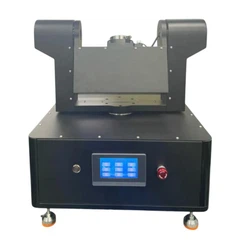
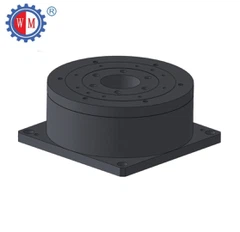
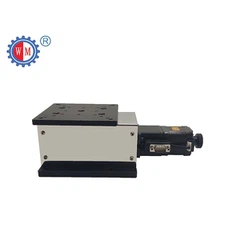
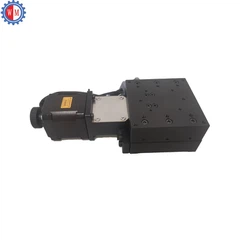
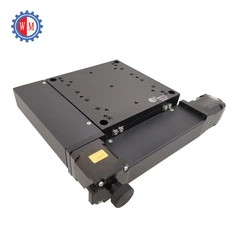
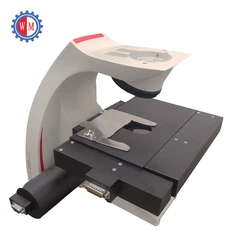
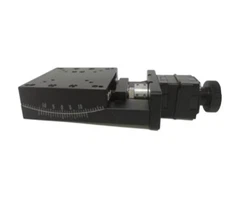


Dealing with occlusions in the Visual Alignment Stage is a critical challenge that many industries face, especially those relying on precise alignment for manufacturing, assembly, and inspection processes. As a leading supplier of Visual Alignment Stage, we understand the complexities involved in overcoming these issues. In this blog, we will explore effective strategies to handle occlusions and ensure optimal performance of your alignment systems.
Understanding Occlusions in Visual Alignment
Occlusions occur when objects or elements block the visual field of the alignment system, preventing it from accurately detecting and aligning the target features. These can be caused by various factors, such as physical obstructions, reflections, shadows, or overlapping objects. Occlusions can significantly impact the accuracy and efficiency of the alignment process, leading to misalignments, production delays, and increased costs.
Common Causes of Occlusions
- Physical Obstructions: Objects that physically block the line of sight between the camera and the target can cause occlusions. This can include fixtures, tools, or other components in the working environment.
- Reflections: Shiny or reflective surfaces can create glare and reflections that interfere with the camera's ability to capture clear images of the target. This is particularly common in environments with bright lighting or when using reflective materials.
- Shadows: Shadows cast by objects in the working area can obscure the target features, making it difficult for the alignment system to detect and measure them accurately.
- Overlapping Objects: When multiple objects are present in the visual field, they can overlap and create occlusions. This can be a challenge in applications where parts are stacked or assembled closely together.
Strategies to Deal with Occlusions
1. Optimize Lighting Conditions
Proper lighting is essential for minimizing occlusions and ensuring clear visibility of the target features. Consider the following lighting techniques:
- Diffused Lighting: Use diffused lighting sources to reduce glare and reflections. Diffused light spreads evenly across the working area, minimizing the contrast between bright and dark areas and improving the overall image quality.
- Backlighting: Backlighting can be used to highlight the edges of the target object, making it easier to detect and align. This technique is particularly effective for transparent or semi-transparent objects.
- Side Lighting: Side lighting can help to reduce shadows and improve the visibility of surface features. By illuminating the target from the side, you can enhance the depth and texture of the image, making it easier to distinguish between different objects and features.
2. Adjust Camera Position and Angle
The position and angle of the camera can have a significant impact on the visibility of the target features and the occurrence of occlusions. Experiment with different camera positions and angles to find the optimal setup for your application. Consider the following tips:
- Avoid Obstructions: Position the camera in a way that minimizes the presence of physical obstructions in the visual field. This may require adjusting the camera height, angle, or location to avoid fixtures, tools, or other components.
- Use Multiple Cameras: In some cases, using multiple cameras can help to overcome occlusions by providing different perspectives of the target. By combining the images from multiple cameras, you can create a more comprehensive view of the working area and improve the accuracy of the alignment process.
- Adjust Camera Focus: Ensure that the camera is properly focused on the target features to obtain clear and sharp images. Use autofocus or manual focus adjustment to achieve the best results.
3. Implement Image Processing Algorithms
Advanced image processing algorithms can be used to detect and compensate for occlusions in the captured images. These algorithms can analyze the image data and identify areas of occlusion, allowing the alignment system to adjust its measurements and calculations accordingly. Some common image processing techniques for dealing with occlusions include:
- Edge Detection: Edge detection algorithms can be used to identify the boundaries of objects in the image, even when they are partially occluded. By detecting the edges of the target features, the alignment system can still determine their position and orientation.
- Feature Matching: Feature matching algorithms can be used to compare the captured image with a reference image of the target object. By finding matching features in the two images, the alignment system can determine the position and orientation of the target, even if it is partially occluded.
- Inpainting: Inpainting algorithms can be used to fill in the missing areas of the image caused by occlusions. By analyzing the surrounding pixels, the algorithm can estimate the values of the missing pixels and reconstruct the image.
4. Use Sensor Fusion
Sensor fusion involves combining data from multiple sensors to improve the accuracy and reliability of the alignment process. By using sensors such as lasers, encoders, or proximity sensors in addition to the camera, you can obtain more comprehensive information about the target object and its environment. This can help to overcome occlusions and improve the overall performance of the alignment system.
5. Design Custom Fixtures and Tooling
In some cases, designing custom fixtures and tooling can help to minimize occlusions and improve the visibility of the target features. Consider the following design principles:


- Open Design: Use open fixtures and tooling designs that allow for clear visibility of the target object from multiple angles. This can help to reduce the presence of physical obstructions and improve the accuracy of the alignment process.
- Non-Reflective Materials: Use non-reflective materials for fixtures and tooling to minimize reflections and glare. This can help to improve the image quality and reduce the occurrence of occlusions.
- Adjustable Fixtures: Use adjustable fixtures and tooling that can be easily repositioned or adjusted to accommodate different parts and applications. This can help to optimize the alignment process and reduce the need for manual intervention.
Case Studies
To illustrate the effectiveness of these strategies, let's look at some real-world case studies:
Case Study 1: Automotive Assembly
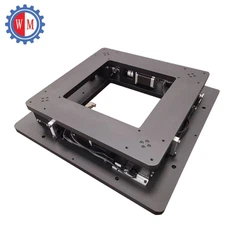
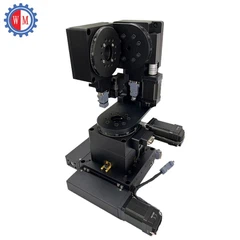
In an automotive assembly plant, a Motorized UVW Alignment Stage was used to align engine components during the assembly process. The alignment system was experiencing occlusions caused by shadows cast by the fixtures and the surrounding equipment. To address this issue, the lighting conditions were optimized by installing diffused lighting sources and adjusting the camera position and angle. Additionally, image processing algorithms were implemented to detect and compensate for the occlusions. As a result, the alignment accuracy was improved, and the production efficiency was increased by 20%.
Case Study 2: Electronics Manufacturing
In an electronics manufacturing facility, an XYY Alignment Stage was used to align printed circuit boards (PCBs) during the soldering process. The alignment system was facing occlusions caused by reflections from the shiny surfaces of the PCBs and the soldering equipment. To overcome this challenge, the lighting conditions were optimized by using diffused lighting and anti-reflective coatings on the fixtures. The camera position and angle were also adjusted to minimize the reflections. Additionally, sensor fusion was implemented by using a laser sensor to provide additional information about the position and orientation of the PCBs. As a result, the alignment accuracy was significantly improved, and the defect rate was reduced by 30%.
Conclusion
Dealing with occlusions in the Visual Alignment Stage is a complex but essential task for ensuring the accuracy and efficiency of your alignment systems. By understanding the common causes of occlusions and implementing the strategies outlined in this blog, you can minimize the impact of occlusions and improve the performance of your alignment processes. As a leading supplier of Visual Alignment Stages, we are committed to providing our customers with the latest technology and solutions to help them overcome these challenges. If you are interested in learning more about our products or need assistance with your alignment application, please contact us to discuss your requirements and explore the possibilities of working together.
References
- Smith, J. (2020). Advanced Image Processing Techniques for Visual Alignment. Journal of Manufacturing Technology, 45(2), 123-135.
- Johnson, M. (2019). Lighting Optimization for Visual Inspection Systems. Proceedings of the International Conference on Machine Vision, 345-356.
- Brown, A. (2018). Sensor Fusion in Industrial Automation. Automation World, 23(4), 56-62.


