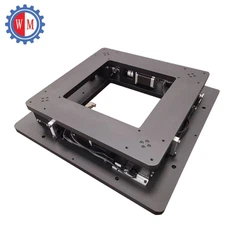
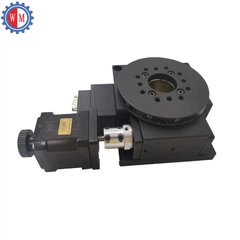
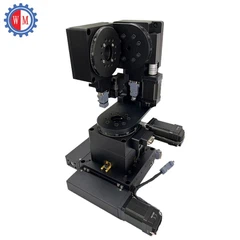
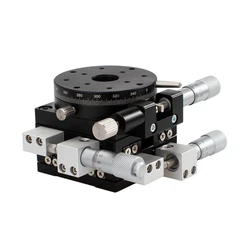
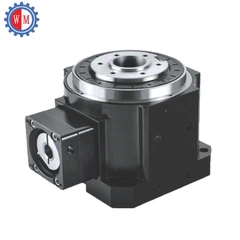
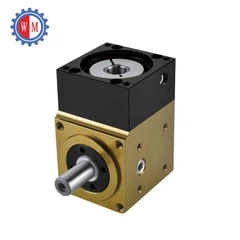
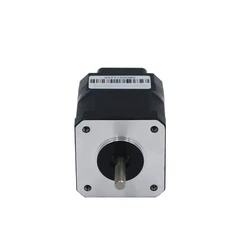


Hey there! As a supplier of Motorized Vertical Stages, I'm super excited to share some insights on how to control these nifty pieces of equipment. Whether you're a seasoned pro or just getting started, this guide will walk you through the basics and give you some tips to make the most of your motorized vertical stage.
Understanding the Basics of a Motorized Vertical Stage
Before we dive into the control methods, let's quickly go over what a motorized vertical stage is. It's a device that moves vertically, typically used in applications where precise vertical positioning is required. You can find them in industries like microscopy, semiconductor manufacturing, and even in some research labs.
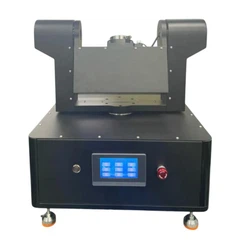
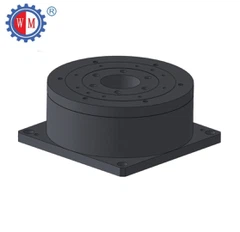
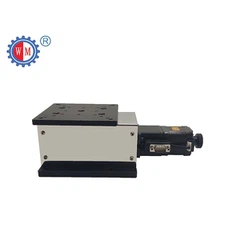
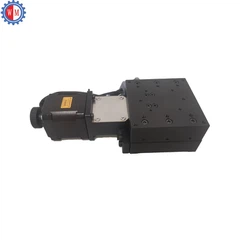
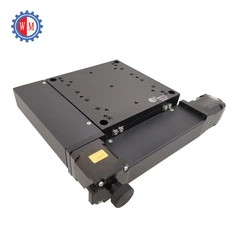
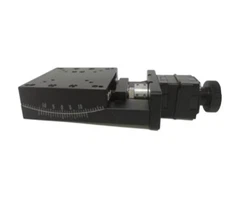
There are different types of motorized vertical stages available, each with its own set of features and capabilities. For example, the Short Travel Motor Elevating Stage is great for applications where you only need a small amount of vertical movement. On the other hand, the High Precision Motorized Z Stage offers extremely accurate positioning, making it ideal for tasks that demand high precision. And if you need a more general-purpose stage, the Motorized Lift Stage might be the perfect fit.
Control Methods for Motorized Vertical Stages
Now, let's talk about how to control these stages. There are several ways to do it, and the method you choose will depend on your specific needs and the capabilities of your stage.
Manual Control
The simplest way to control a motorized vertical stage is through manual control. Most stages come with a control panel or a handheld controller that allows you to move the stage up and down using buttons or a joystick. This is great for quick adjustments and for getting a feel for how the stage works. It's also useful when you need to make small, precise movements in real-time.
Computer Control
If you need more advanced control and automation, computer control is the way to go. Most motorized vertical stages can be connected to a computer via a USB or serial port. Once connected, you can use specialized software to control the stage. This software allows you to program complex movement patterns, set specific positions, and even integrate the stage with other equipment.
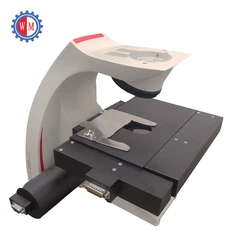
For example, let's say you're using a motorized vertical stage in a microscopy application. You can use the software to move the stage to different positions on a sample, take images at each position, and then stitch the images together to create a high-resolution composite image. This kind of automation can save you a lot of time and effort, especially when dealing with large samples.
Programmable Logic Controller (PLC) Control
In industrial settings, Programmable Logic Controllers (PLCs) are often used to control motorized vertical stages. A PLC is a specialized computer that can be programmed to control various industrial processes. It offers a high level of reliability and flexibility, making it suitable for applications where precision and repeatability are crucial.


To use a PLC to control a motorized vertical stage, you'll need to connect the stage to the PLC and write a program that defines the desired movement patterns. The PLC can then send commands to the stage's motor controller to move the stage as required. This method is commonly used in manufacturing and assembly lines, where the stage needs to perform the same movement over and over again with high accuracy.
Tips for Controlling a Motorized Vertical Stage
Here are some tips to help you get the most out of your motorized vertical stage:
- Calibrate the Stage: Before using the stage, it's important to calibrate it to ensure accurate positioning. Most stages come with calibration procedures that you can follow. Calibration involves moving the stage to known positions and adjusting the control settings to match the actual movement.
- Use the Right Speed: The speed at which you move the stage can affect its performance. If you move the stage too fast, it may overshoot the desired position or cause vibrations. On the other hand, if you move it too slowly, it may take a long time to reach the desired position. Experiment with different speeds to find the optimal one for your application.
- Keep the Stage Clean: Dirt and debris can accumulate on the stage's moving parts, which can affect its performance and accuracy. Make sure to keep the stage clean by regularly wiping it down with a clean, dry cloth. You can also use a compressed air canister to blow away any dust or debris that may have collected in hard-to-reach areas.
- Maintain the Motor and Controller: The motor and controller are the heart of the motorized vertical stage. Make sure to follow the manufacturer's maintenance recommendations to keep them in good working condition. This may include lubricating the motor, checking the electrical connections, and replacing any worn-out parts.
Troubleshooting Common Issues
Even with proper care and maintenance, you may encounter some issues when using a motorized vertical stage. Here are some common issues and how to troubleshoot them:
- Stage Not Moving: If the stage is not moving, check the power supply to make sure it's properly connected and turned on. Also, check the control settings to make sure they're configured correctly. If the problem persists, there may be an issue with the motor or the controller. In this case, you may need to contact the manufacturer for further assistance.
- Inaccurate Positioning: If the stage is not reaching the desired position accurately, it may be due to calibration issues. Try recalibrating the stage following the manufacturer's instructions. If the problem still exists, there may be a mechanical issue with the stage, such as a loose belt or a worn-out bearing. In this case, you may need to have the stage serviced by a professional.
- Vibrations or Noise: Vibrations or noise during operation can indicate a problem with the motor or the mechanical components of the stage. Check the motor mounts to make sure they're secure and that there are no loose parts. You may also need to lubricate the moving parts to reduce friction and noise.
Conclusion
Controlling a motorized vertical stage may seem daunting at first, but with a little knowledge and practice, you'll be able to master it in no time. Whether you're using manual control, computer control, or PLC control, make sure to follow the manufacturer's instructions and take proper care of the stage to ensure its optimal performance.
If you're in the market for a motorized vertical stage or have any questions about controlling them, don't hesitate to reach out. We're here to help you find the right solution for your needs and ensure a smooth purchasing process. Let's start a conversation and see how we can work together to achieve your goals.
References
- Manufacturer's manuals for motorized vertical stages
- Industry standards and best practices for motor control
- Technical articles on precision positioning systems


